


Why Your Inbox Can't Handle 15+ Wedding Clients (And What to Build Instead)
If you're managing fifteen or more wedding clients at the same time, your inbox isn't just busy. It's working against you.
Missed replies. Forgotten timeline steps. Answering the same question for the fifth time this week. None of this happens because you're bad at your job. It happens because email was never built to run a business.
Most wedding photographers start out managing everything through email, sticky notes, and memory. That approach works fine at low volume. It works right up until the moment your booking count climbs and the cracks in an inbox-based system turn into full-blown bottlenecks, slowing your response times, creating costly mistakes, and adding stress during exactly the season you can least afford it.
This guide breaks down why inbox-based client management stops working at scale, how to build a real workflow to replace it, and how ShootQ gives wedding studios a system they can actually rely on when the calendar fills up.
Why Inbox-Based Wedding Client Management Breaks at Scale
Email is a communication tool. It was never designed to manage a multi-step client experience with dozens of moving parts happening at once across dozens of couples. When your entire business runs through Gmail, important details don't just get delayed. They get buried entirely, often without you realizing it until a client brings it up.
A few specific failure points show up again and again once volume increases:
Contracts are sent, but not tracked. You know you emailed the contract. What you don't know, without digging back through the thread, is whether it was ever signed, whether the couple has questions about it, or whether a deposit came through.
Timeline tasks live in your head instead of a system. The mental list of "things I need to do for this wedding" grows every time you take on a new client. At some point, that list gets too long to hold accurately, and something falls off it without you noticing.
Follow-ups depend on memory, not automation. A thirty-day-out reminder, a questionnaire nudge, a final planning check-in: all of these should happen automatically. Instead, they happen only if you remember to trigger them manually, for every single client, every single time.
Client communication becomes reactive instead of proactive. Instead of reaching out at the right moment in a couple's journey, you end up responding only when they email first, which means you're always a step behind rather than staying ahead of what they need.
The result of all this is a familiar, exhausting loop: constantly checking your inbox, re-checking it again an hour later, and carrying a low-grade worry that something important has slipped through the cracks. That worry doesn't go away by checking more often. It goes away by removing the dependency on memory and manual checking in the first place.
How to Build a Real Wedding Client Workflow
The fix isn't checking your inbox more often or getting better at remembering things. It's building a repeatable workflow that runs the same way for every couple, regardless of how many other clients you're managing at the same time.
Map the Full Client Journey First
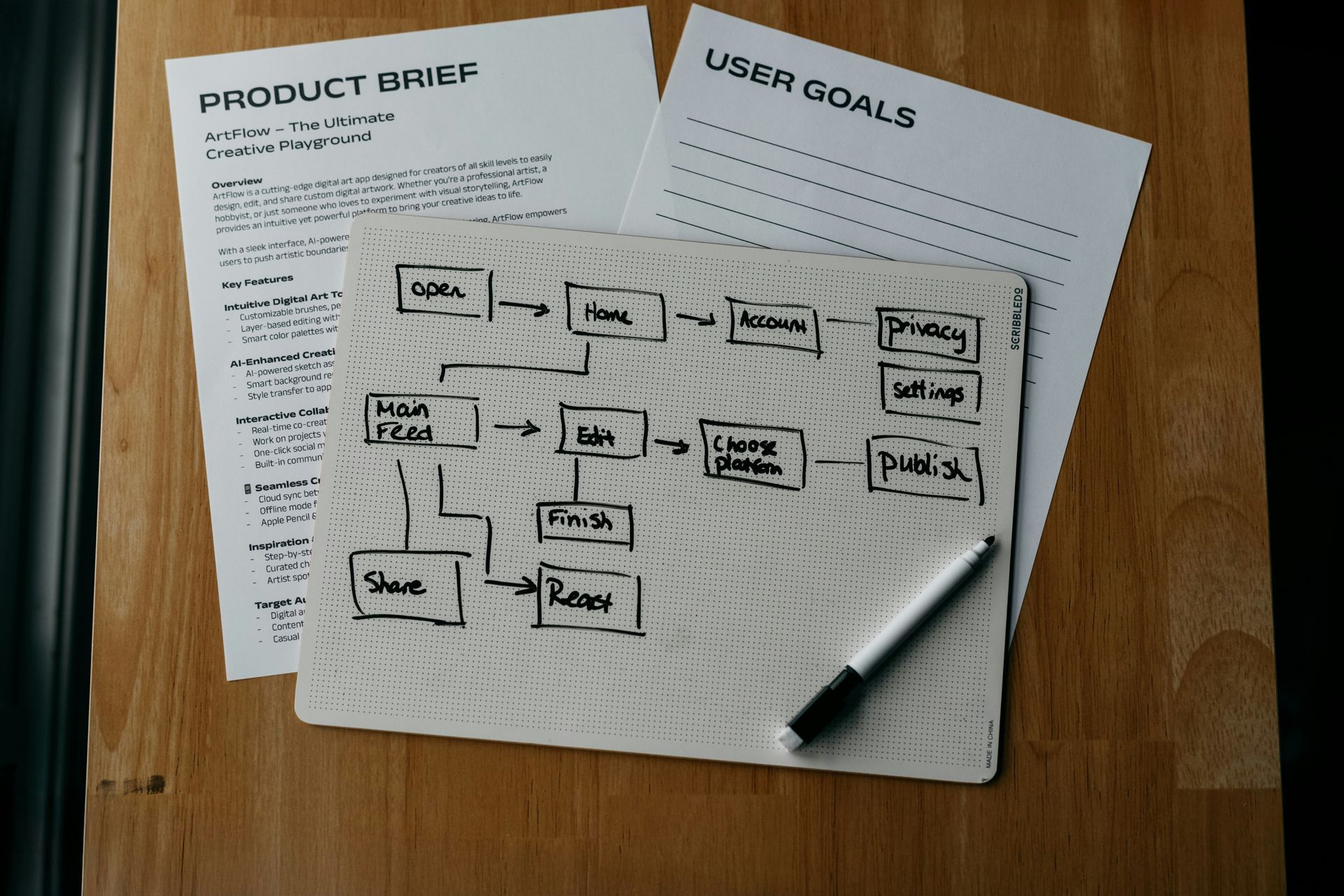
Before any tool or system can help you, you need a clear picture of what the client journey actually looks like from start to finish. For most wedding photographers, that journey breaks down into six core stages:
- Inquiry. A couple reaches out and needs a fast, informative response.
- Booking. Pricing, contracts, and deposits get finalized.
- Planning. Questionnaires, timelines, and early logistics get worked out.
- Pre-wedding prep. Final details, shot lists, and vendor coordination come together.
- Wedding day. The event itself, where preparation pays off.
- Post-wedding delivery. Galleries, final invoices, and the last touchpoints with the couple.
Mapping this out doesn't need to be complicated, but it does need to be explicit. If the stages only exist in your head, you can't build consistent, repeatable steps around them.
Turn the Map Into a System
Once the path is clear, the next step is putting it into a system that runs the same way every time, for every couple, without depending on your memory to trigger each step. This is the difference between having a process and actually using one. A lot of photographers can describe their ideal client journey in detail, but very few have it built into something that executes automatically in the background while they're out shooting, editing, or meeting with the next inquiry.
How ShootQ Keeps Wedding Studios Organized
ShootQ was built specifically for photographers managing complex, multi-month wedding projects, where a single client relationship can span the better part of a year and involve dozens of individual touchpoints. Instead of juggling five different tools to hold five different pieces of the puzzle, everything lives in one connected place.
Contracts, invoices, and questionnaires are tied to each job. Rather than wondering whether a specific document was sent or signed, you can open a client's file and see the full status immediately, without searching your inbox or a separate e-signature tool.
Automated emails send at the right time. The recurring, predictable messages, like a questionnaire reminder or a pre-wedding check-in, go out automatically based on where a couple is in their journey, so you're not manually triggering the same email dozens of times a season.
Task timelines show what's next without guesswork. Every job carries its own timeline, so you can look at any client and immediately know what's outstanding, what's coming up, and what's already been handled.
Client communication is organized by project, not inbox threads. Instead of scrolling through a shared inbox trying to find one couple's message history, every conversation is attached to their specific job, so the full context is right there when you need it.
When your workflow is built into ShootQ, you stop relying on sticky notes, memory, or a mental checklist that grows heavier with every new booking. You follow the system, and the system does the heavy lifting.
The Result: Control Without Chaos
A structured workflow changes what your business feels like on a day-to-day basis, especially during your busiest months.
You respond to inquiries and client questions faster, because the information you need is organized and accessible instead of buried in a thread from three weeks ago. You miss fewer steps, because the system tracks what's outstanding instead of leaving it to memory. Your clients get a more consistent
experience, because every couple moves through the same reliable process regardless of how many others you're managing simultaneously. And you carry less stress during peak season, because a full calendar no longer means constant low-level anxiety about what you might be forgetting.
In practical terms, that adds up to real hours saved every week, a schedule you can actually stay on top of, and a more polished experience for the couples you're working with, all without living in your inbox around the clock.
When your business grows, your systems need to grow with it. ShootQ gives wedding photographers a foundation they can rely on, even when the calendar is completely full.
Frequently Asked Questions
Why does email stop working once you have too many wedding clients?
Email is built for communication, not for managing a multi-step process across dozens of clients at once. As volume increases, important details like contract status, follow-up timing, and outstanding tasks get buried in threads instead of living somewhere trackable, which is why inbox-based management tends to break down right around the point a photographer gets busy enough to need it most.
How many wedding clients can you manage with just email and memory?
There's no fixed number, but most photographers start feeling the strain somewhere between eight and fifteen active clients at once. Below that range, memory and manual checking can usually keep up. Above it, the volume of contracts, timelines, and follow-ups typically outpaces what one person can reliably track without a dedicated system.
What does ShootQ do differently from a standard email inbox?
ShootQ ties every piece of a client relationship, including contracts, invoices, questionnaires, and communication, to that client's specific job rather than scattering it across inbox threads. That means you can open one client's file and see their entire history and status in one place, instead of searching and reconstructing it manually.
Can ShootQ send follow-up emails automatically?
Yes. ShootQ can automate the recurring, predictable messages in a client journey, such as questionnaire reminders, pre-wedding check-ins, and invoice notices, so they go out at the right time without you having to remember and trigger each one manually for every active client.
Does ShootQ track whether a contract has been signed?
ShootQ ties contracts directly to each client's job, so you can see the status of a contract, whether it's been sent, viewed, or signed, without digging through email or a separate signature tool to find out.
Is ShootQ only useful for photographers with a high volume of clients?
ShootQ works at any volume, but its value becomes most apparent once a photographer is managing enough active clients that manual tracking and memory-based follow-up start to break down. That threshold is usually somewhere in the range of eight to fifteen simultaneous clients, though it varies by how complex each booking is.
How does a workflow reduce stress during wedding season?
A workflow removes the dependency on memory and constant inbox-checking by tracking outstanding tasks, follow-ups, and document status automatically. Instead of worrying about what might be forgotten, a photographer can look at the system and see exactly what's outstanding, which replaces low-grade background anxiety with a clear, verifiable picture of the business.