


Streamlining Holiday Client Communication
Maria Eveslage • September 14, 2025

The holiday season is one of the busiest times for photographers. From mini sessions to end-of-year weddings, your calendar can fill up quickly — and so can your inbox. To keep clients informed and avoid last-minute chaos, having an organized communication plan is essential.


With ShootQ, you can automate and personalize your holiday communication, ensuring every client feels valued while you save time.


Why Communication Matters During the Holidays

When clients are booking holiday sessions, they’re often juggling multiple commitments. Clear, timely communication helps:

  • Set expectations
  • Reduce no-shows
  • Increase client satisfaction


Make your business feel more professional and reliable

How to Use ShootQ to Automate Holiday Communication


1. Create Holiday-Themed Email Templates

  • Go to Settings → Email Templates in ShootQ.
  • Create templates for common holiday communications — confirmations, reminders, prep guides, and thank-you emails.
  • Include seasonal language and a touch of personality to make your messages memorable.

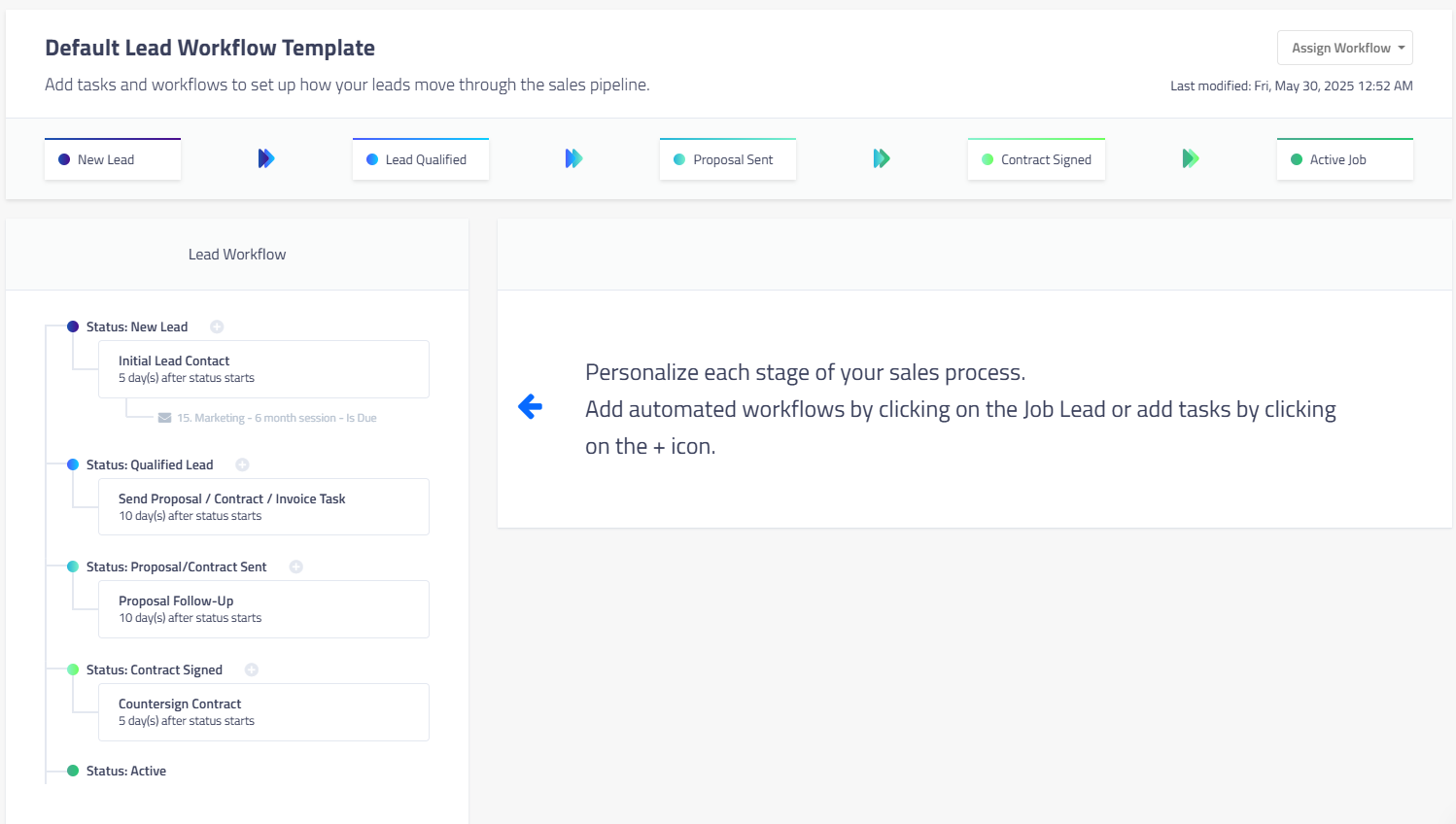
2. Set Up Automated Workflows

  • In Workflows, build a sequence of emails triggered by key events.
  • Example: Confirmation → Session Prep Guide (sent 7 days before) → Reminder (sent 48 hours before) → Follow-up with gallery link.


3. Use Text Reminders for Last-Minute Confirmations

  • Enable SMS notifications in Settings → Communication.
  • Perfect for ensuring clients show up on time during the busy season.

4. Personalize with Client Data

  • Use ShootQ’s merge fields to automatically insert client names, session details, and locations into every email.


Extra Tips for Holiday Communication

  • Keep messages concise — clients are busier than ever this time of year.
  • Use bold headers or bullet points in emails so key information stands out.
  • Test your emails before sending to ensure formatting looks great on mobile devices.


Make This Your Easiest Holiday Season Yet


With ShootQ’s automation tools, you can maintain consistent, professional communication without spending hours writing emails. By preparing your workflows now, you’ll free up more time to focus on delivering great sessions — and enjoying the holidays yourself.


studio workflow
By Maria Eveslage April 8, 2026
A studio workflow helps photographers stay organized and manage clients efficiently. Learn the structure every studio workflow needs to improve communication and bookings.
client experience
By Maria Eveslage April 7, 2026
Client experience plays a major role in photography bookings. Learn how organized workflows improve client experience and help photography studios deliver consistent service.
Show More